


User Manual
Annotations
Sometimes chords and lyrics are not enough to communicate how to play a song. In that case, the annotations menu can help. Tap on the additions icon in the menubar to access the annotations tab. Annotations are notes or drawings that can be placed on the chord chart. OnSong includes the following annotation options in this menu:
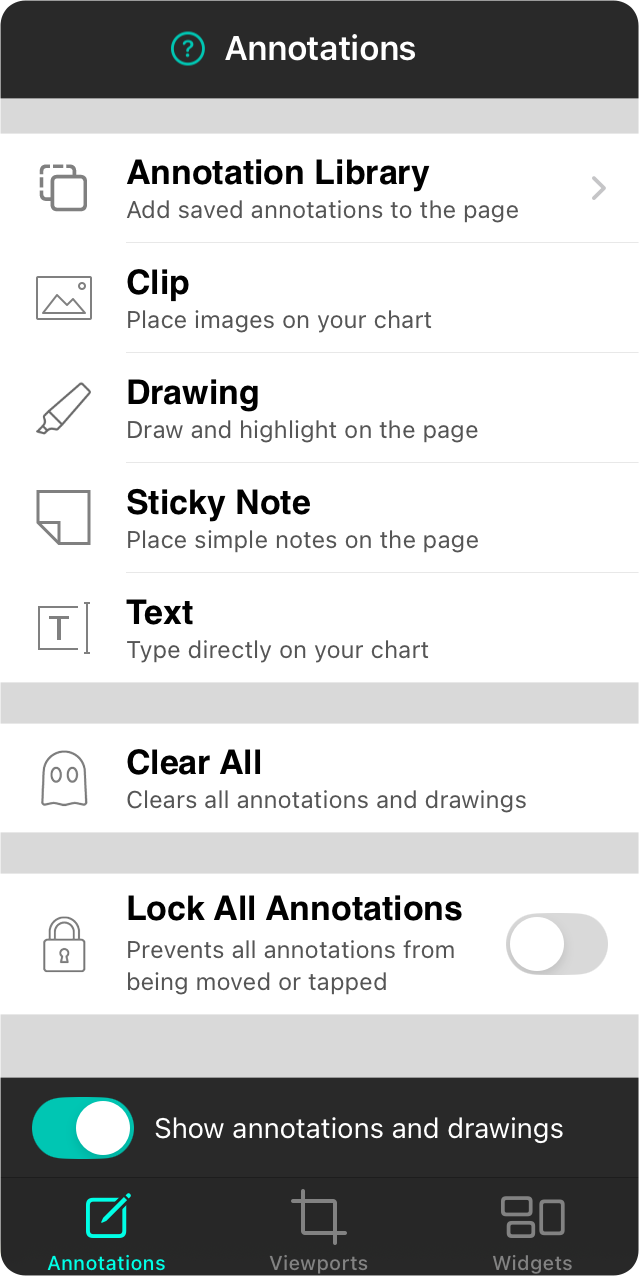
Annotation Library
Use the context menu on annotations to place them into your annotations library. You can then open the library to add those saved annotations to other documents.
Clip
Clips let you import pictures or create graphics, crop them to place on your chord charts and sheet music.
Drawing
The drawing annotation lets you draw on the page using a pen or highlighter.
Sticky Note
The sticky note annotation allows you to place colored, square notes on the page.
Text
The text annotation lets you break out of the sticky note box and just type on the page.
Clear All
Tapping on this option will remove all annotations from the song page. You are prompted before this takes place since it is not reversible.
Lock All Annotations
This switch can be enabled to prevent annotations from taking any manipulation gestures.
Edit All Annotations
If annotations on your chart have an action, or if any annotation is invisible, this switch will be enabled allowing those annotations to be visible and editable. (not displayed)
Show Annotations and Drawings
This switch in the toolbar allows annotations and drawings to be turned off temporarily without removing them.


